The popular way to make grids for your layouts is to account for gutters, like this:
The layout here is 760 pixels wide with six 100-pixel columns, five 20-pixel gutters and two 30-pixel margins.
Now, quick: what will the column width be if we increase gutters to 25 pixels?
This is an overcomplicated, highly impractical way of dealing with grids. Given the overall width and the number of columns, it is hard to calculate the column width. The width of n columns does not equal n × col width. Creating or changing such a grid a work in itself. This is nasty.
The better way is to get rid of gutters:
The layout here is 760 pixels wide with six guides at 120-pixel intervals and a 30-pixel left margin.
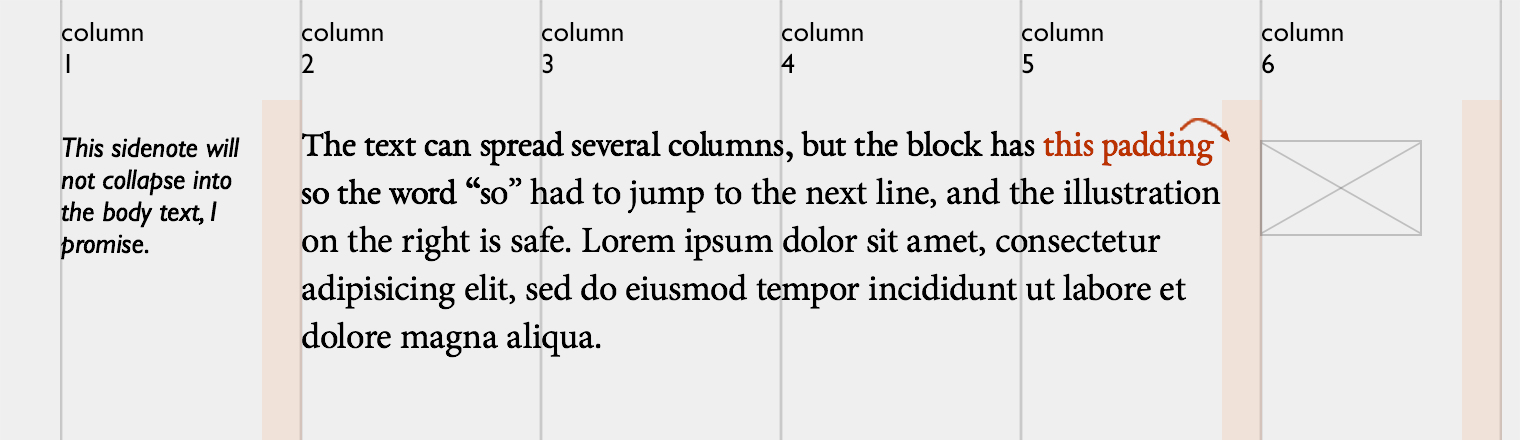
But wait, how do you make sure the text in adjacent colums does not collapse? Easy. You add a right padding to the containers:
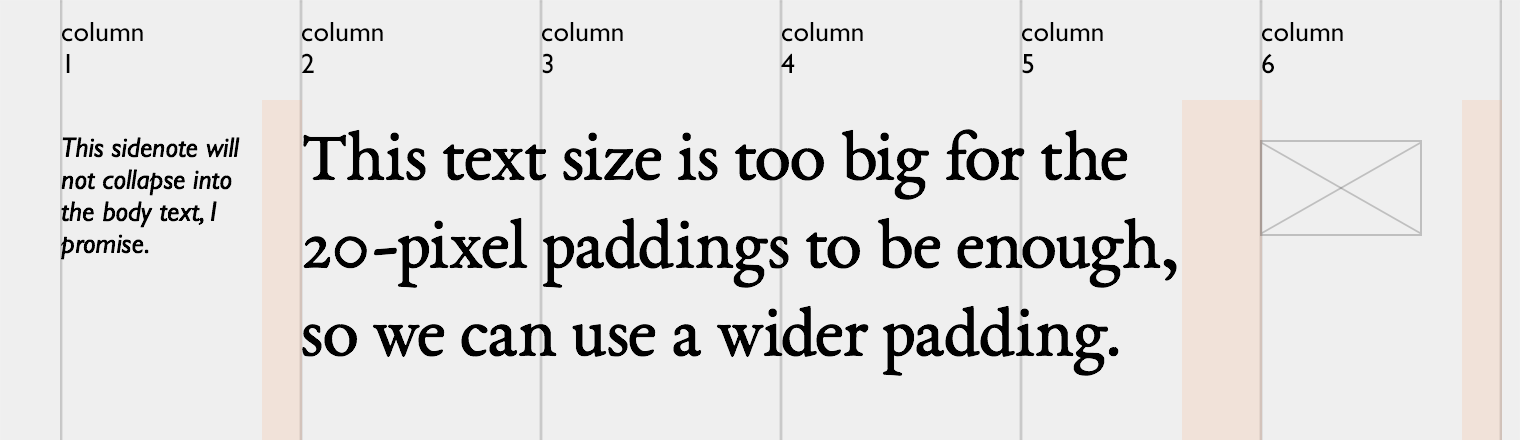
This approach gives you the freedom of adjusting the paddings in relation to the font size. If your main text is twice bigger, the 20-pixel spacing will not be enough, so you can use bigger paddings for its (and only its) container:
Alternatively, you can specify the padding in relative units (i. e. 1.5 em).
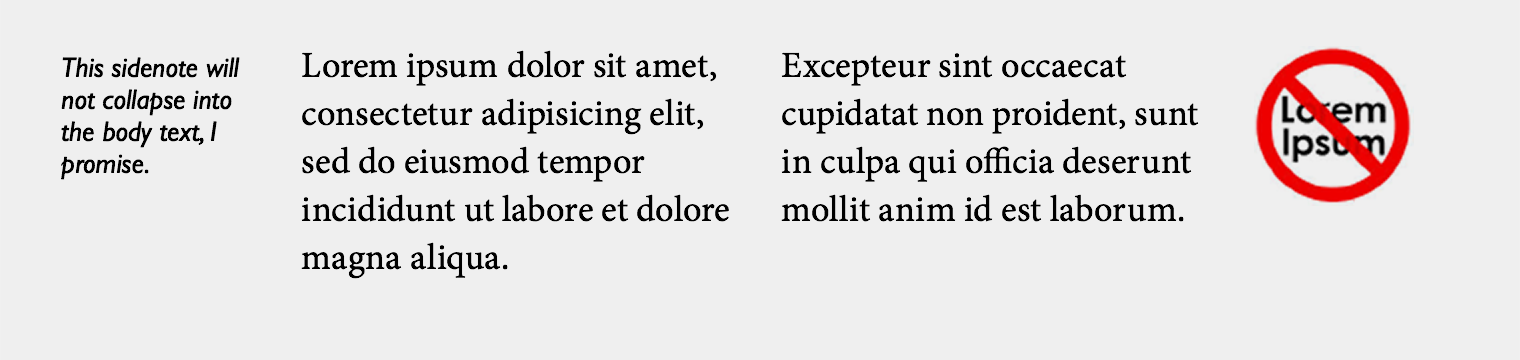
Here is another example, this time without any visible guides:
On the web, you almost exclusively use flush left, so viewing the grid as a set of guides instead of as a set of columns makes sense. The only “grid” is the grid of the invisible lines by which the text is aligned. So do not mess with gutters, they are not worth your time.
I prefer my photos’ metadata to include the correct capture time, regardless of which timezone it was taken in. But I would never spend time to figure out how to adjust the built-in clock on my camera. And even if that was easy, I would always forget to do it anyway.
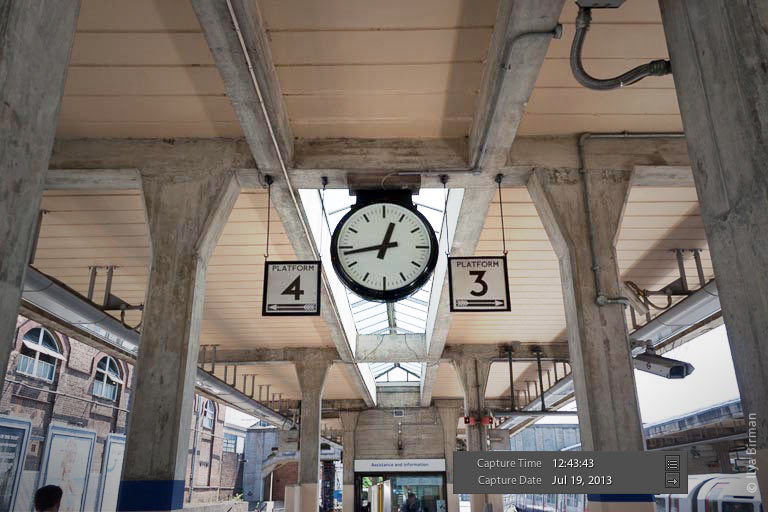
So when I travel, I just take photos of clocks and then use those to adjust the capture time of the whole set. Usually there are plenty of clocks on transport systems, and, as you know, photos I take mainly have to do with transport. This one is from the London Tube:
In Lightroom, I select the whole set of photos from some trip, then choose a photo of a clock (this does not void the selection), and then I set the photo’s capture time to whatever the clock displays. This makes Lightroom adjust the capture time of all selected photos accordingly.
This method is great because it does not require any discipline: you can adjust time whenever you want. A couple of days ago I needed a photo from 2005, and it had the wrong capture time. I just found a photo of a clock in that set and corrected the whole set in a matter of seconds.
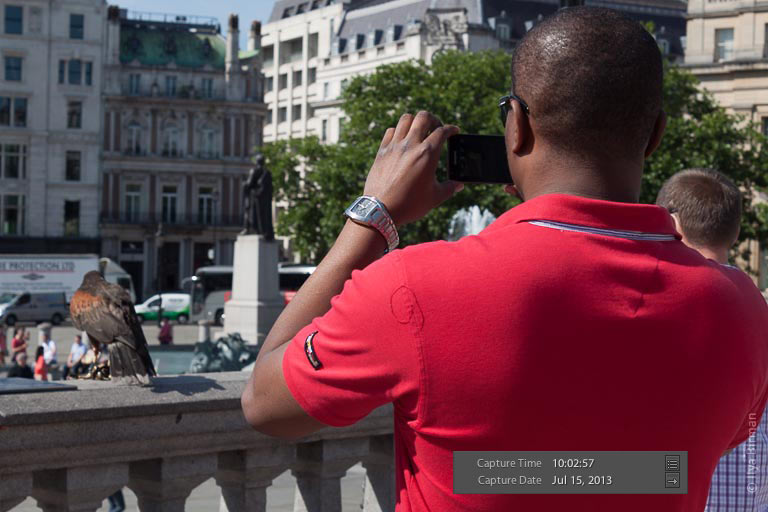
Sometimes І would notice an accidental clock or watch in some photo and just glance at the capture time. Yep, it is all right with this one from Trafalgar Square:
Obviously, the ideal camera should know the time without any action on my part, as the iPhone does. Or, better, the camera should be just an iPhone dock. But this is unfortunately not the case with my Canon.
While developing Ångström, the unit converter for the iPhone (check it out!), Alex Babaev and I have come up with the Ångström Style System.
ÅSS (hey, why not) is a JSON-driven styling engine for Cocoa with Dropbox synchronization and shake-to-refresh. It is a great way to separate the code of the app from its look and feel. It helped me try out different aspects of the color scheme, the fonts, the spacings and, most importantly the animations, without making Alex rebuild the app every time I wanted to change something.
Playing with the text caret
One of the many things we were obsessing over in Ångström was the text caret animation:
This is an animated gif, make sure to download the app and look at the real thing.
I wanted the caret to stick out much below and above the text. I wanted it to move like an elastic and bouncy string (whatever that is). I wanted to make it stretch and squeeze, not just blink. There was no way I could explain this in technical terms to Alex. How far the line should stretch? How fast the animations should be? Who knows. I needed a way to play with all the parameters until it felt right.
So I wrote Alex a letter explaining my idea in vague terms. I asked for a way to control the length and the opacity of both the long and the short states of the caret and the transition times between them. After having played with this parameters for some time I figured out I could not make the caret behave exactly as I wanted. Six variables were not enough. We have gradually added the variables for animation easing, the delays and the caret width.
This is the final “stylesheet” for the caret, after hours of tweaking:
This fragment is actually about 3% of the whole Ångström’s stylesheet.
Dropbox sync and shake-to-refresh
The two things that make ÅSS particularly awesome are Dropbox sync and shake-to-refresh.
Moving the style variables from the code to an external file is a useful idea all by itself: I could have been playing with the parameters and rebuilding the app having no clue about Objective-C. As far as I understand, this is how Brent Simmons’s DB5 works.
But we wanted to make ÅSS a real pleasure to use (no pun intended), eliminating the need not only to rebuild, but even to restart the app. Here is how the process of refining something looked for me thanks to ÅSS:
Open the app on my iPhone and go to the screen I want to adjust.
Open the app’s ÅSS stylesheet from the Dropbox folder with Sublime Text on my Mac.
Change the parameters in the file and save it.
Shake my iPhone to see the change immediately.
So this is literally live tuning of a running app.
There is a different approach to styling: put sliders with the parameters to the Settings app during development. While this may look nice, we think it is very counter-productive. You don’t want to be constantly switching between the app you are designing and the Settings app. You don’t want to be scrolling through tens or hundreds of variables on the iPhone screen. You don’t want to struggle entering a color’s #rrggbb value on the iPhone keyboard. Sublime Text on a computer synced with the iPhone via Dropbox works so much better.
One of the most used wayfinding method is a phone call. A person calls their friend and gets some voice instructions on how to get somewhere. For this to work, the person should know the left from the right.
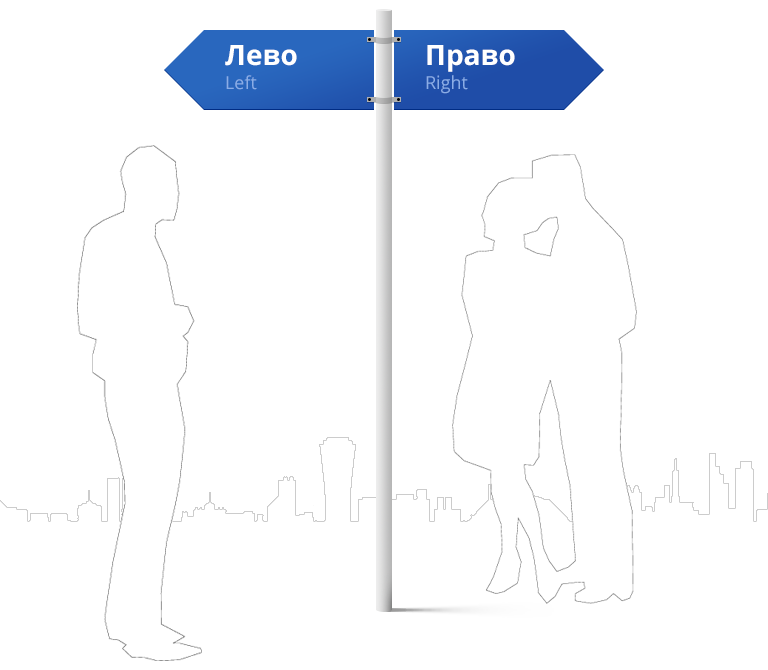
Some people have a hard time figuring this out. Here is a sign to help them:
My friend and a great iOS developer Alex Babaev approached me with an idea to make a unit converter for the iPhone. What? Aren’t there hundreds of them on the App Store already? But after a short discussion it became clear to me that none of the ones that existed were good.
All the converters had stupid menus with categories and icons, as if the designers were thinking about a nice Dribble shots instead of the utility of their apps. By the time you make it through the user interface and set it up for the conversion, you forget what you wanted to convert in the first place.
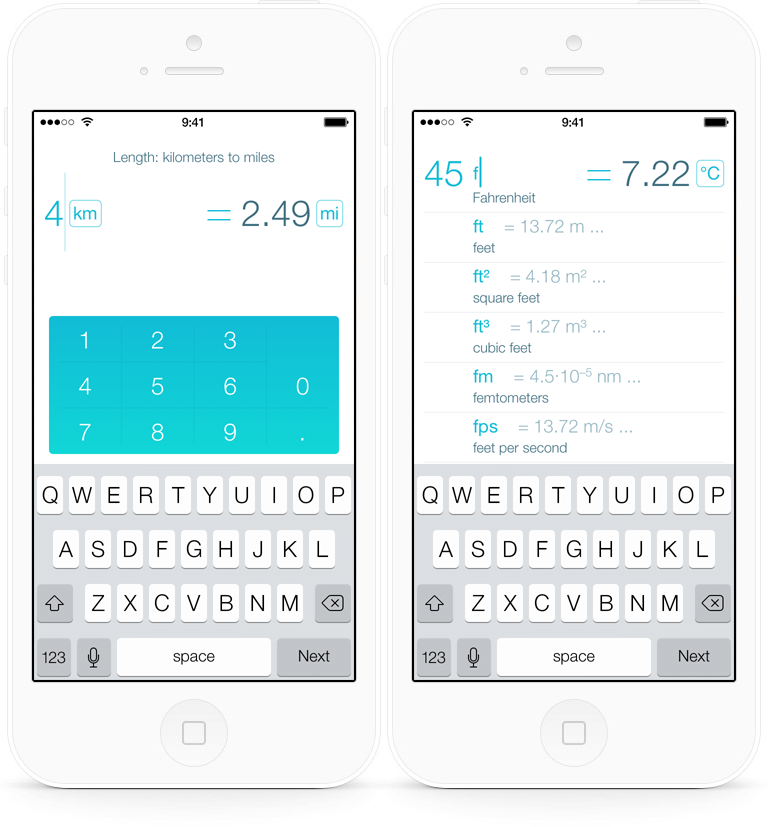
So we did it our way. Our product is called Ångström:
We have started from scratch. You have a number in your head, you want it converted stat. You do not want an endless list of categories distracting you.
We ask you for a number and strive to give you the answer with as little taps as possible. Ideally, with zero taps. That is why we check out your clipboard first. We use the units from the previous convertion before you change them. We show you your unit history before you have started typing the unit. We try to guess the target unit i. e. we know that it is natural to convert feet to meters, but miles to kilometers. We learn what you convert to make better guesses over time. We keep currency rates updated, but show you approximate values when offline. We support alternative spelling of many units.
The version 1.1 has just been released. We invite you to have a look at what we have done. Ångström has been “In Review” for five days. Presumably, Apple employees were playing with the equals sign and just could not stop.
Yep, we have had lots of fun with the animations and transitions. If nothing else, this alone is a good reason to test drive Ångström. Every tap is welcome. And if you don’t feel like tapping, you can just run the app and enjoy our text caret animation for hours. For some reason, I, personally, particularly love it.
Following my original post with London Underground voice announcements, reader Yaroslav Eremenko and another reader who preferred anonymity have sent me several other recordings. Now I have announcements from the Northern line, which I did not have before.
A recording of a train operator explaining a delay with a red signal, the quality is very poor:
It is notable that on the Northern line, they say “this train terminates at S” instead of “this is a L line service / train to S”. I also like the expression “This train terminates at Morden via Bank” as a shorthand for “This is a Bank branch train and it terminates at Morden”.
I have updated the original post with the new recordings, make sure to check it out for my whole collection.
By the way, still no Bakerloo, Jubilee, Metropolitan, Waterloo & City lines and DLR. If you have any recording in your collection or would like to make some, do not hesitate to share them with me. Thank you!
Some authors use footnotes too much. This usually takes the following form:
An exciting story on a subject 1, blah-blah.
Another exciting story on the same subject. Or the boring details on the subject. Or an explanation on why some of the details are not actually true and how it does not matter.
How am I supposed to read this? Does the author want me to scroll down every time I see a superscripted number to read the footnote? Or should I ignore it?
When I follow a footnote, I lose track of the main narrative. This is no surprise, for if the footnote’s content fitted the main line, it would not have ended up in a footnote, and I would not have to scroll back and forth. So when I return from the footnote, I back up a bit to get back on track. When I encounter the same footnote again, I can finally connect the dots. Not exactly a smooth reading experience.
When I ignore a footnote, I feel I am missing something. And many writers prove me right: when I finish reading and glance over the footnotes, I often find them worth reading. This makes me re-read the parts of the main text to figure out how the footnote is related to it. Then I can finally connect the dots. Not a smooth reading experience either.
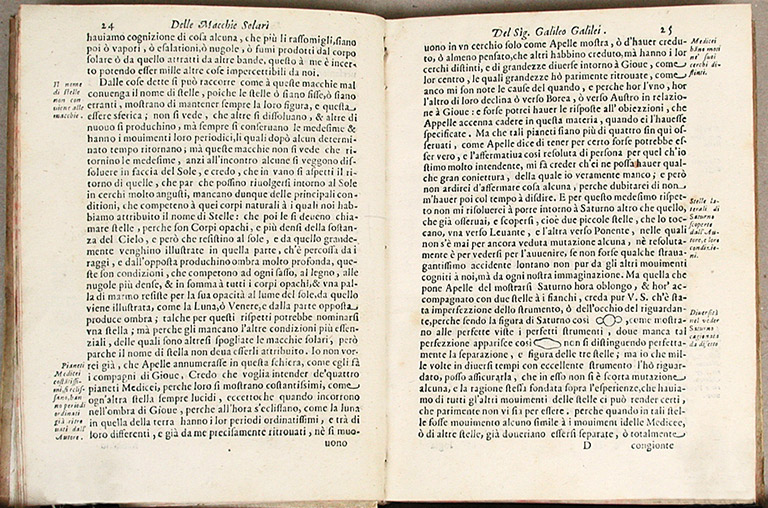
In a book, where no scrolling is involved, footnotes are not as irritating as on the web. But a good designer will still avoid them, prefering sidenotes, as on the spread above. They require no meaningless numbers, you just place them beside the relevant text. This design helps a reader quickly check out whether a note is worth his attention and continue reading practically uninterrupted.
If you use the parallel narrative often, this is what you should look into. However, most of the time footnotes on the web are a sign of inconsistent writing.
Uvildy is a lake about 100 km from my home city of Chelyabinsk, Russia. In winter, it freezes over. Where there is no snow on the surface, the transparent ice looks stunning.
I have made a video today:
And also took several pictures (original size; right-click to save and use as wallpaper, if you like):
I am not a huge fan of dark psy in general, but these fourty-two pieces are really great. This is very fast music, by which I mean that there is a lot going on at any given moment. So you need to concentrate to get it. If you play it in background, it will be just noise (for an unprepared ear at least).