Here’s a video of my recent talk about UI Animations at AngularJS-IL meetup in Tel Aviv:
The video quality is not good because this wasn’t even meant to be recorded. I am lucky to have the video at all. Also, this was my first public talk in English — sorry about some slips.
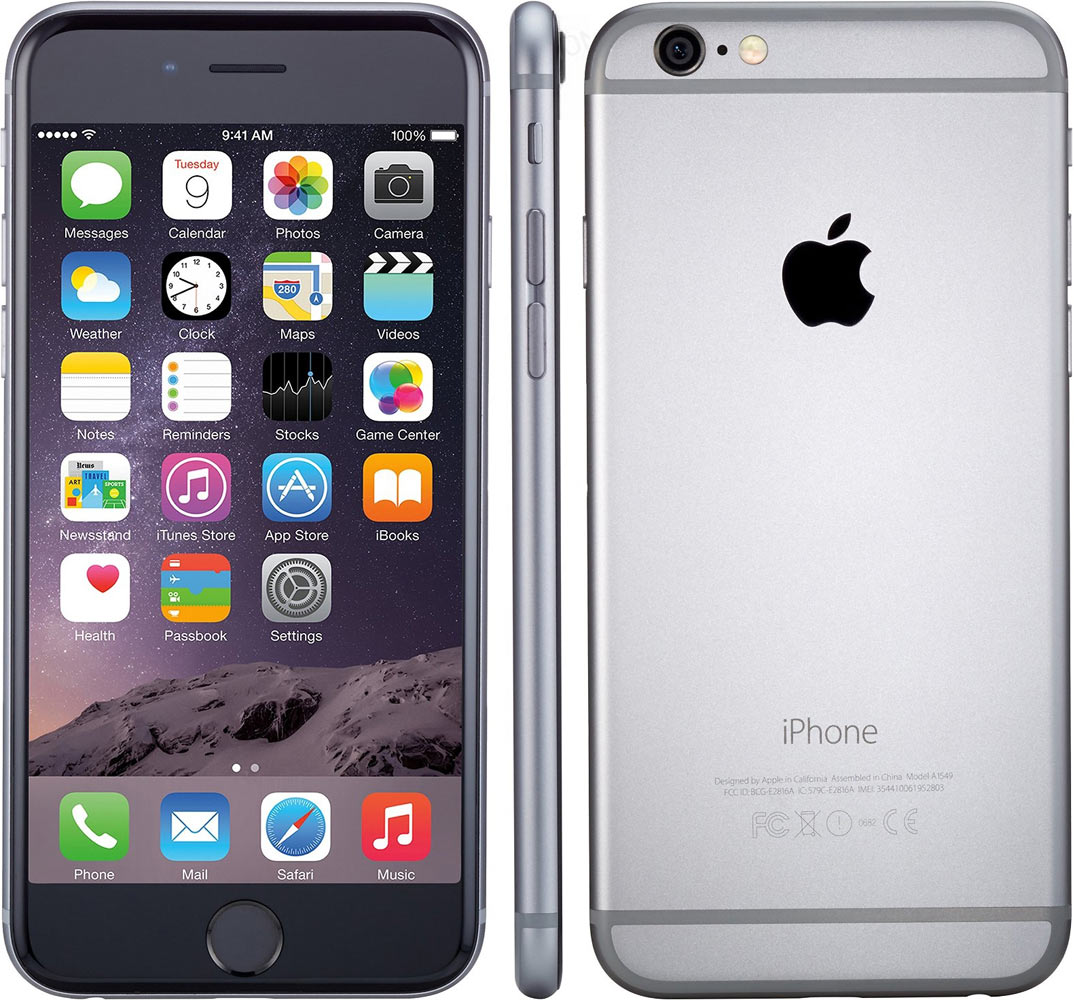
Somehow it’s become a common knowledge that the design of the iPhone 7 is almost the same as the design of the iPhone 6. This boggles my mind.
How can you not see that the iPhones 6 and 7 are the most different iPhones in the history of iPhones? The iPhone 6 is the ugliest iPhone ever created. The iPhone 7 is the most beautiful iPhone ever created.
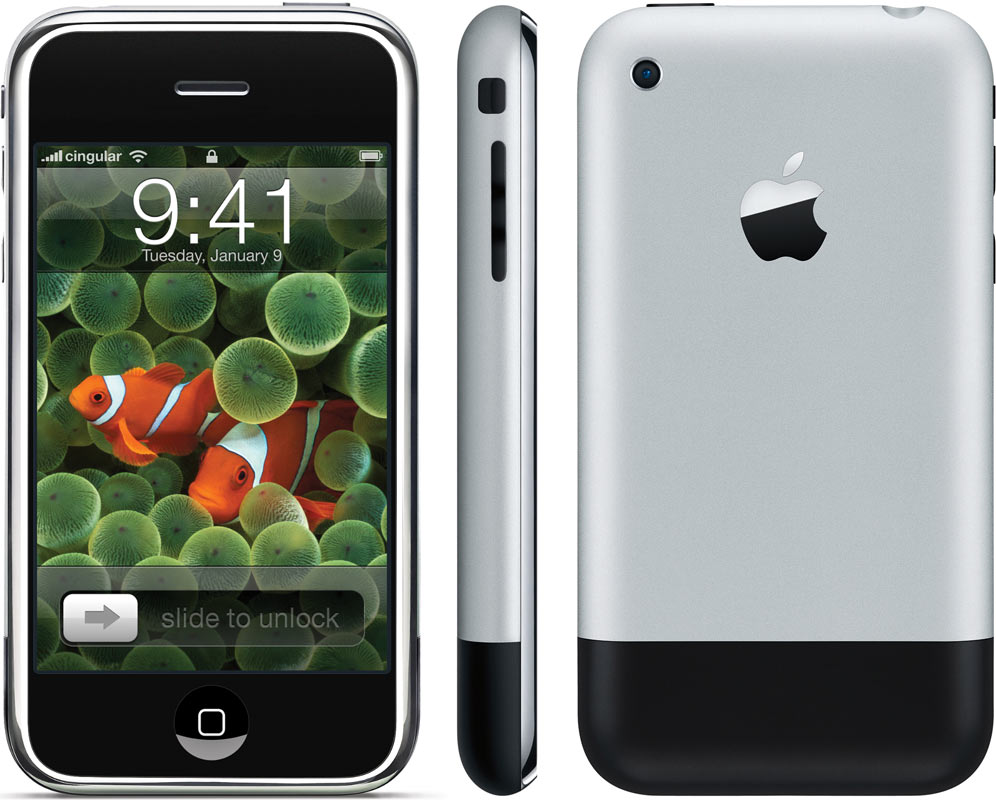
This is the original iPhone:
It was beautiful. Everything was perfectly aligned. It would be better without the black stripe on the bottom, but it had to be there for the antennas to work.
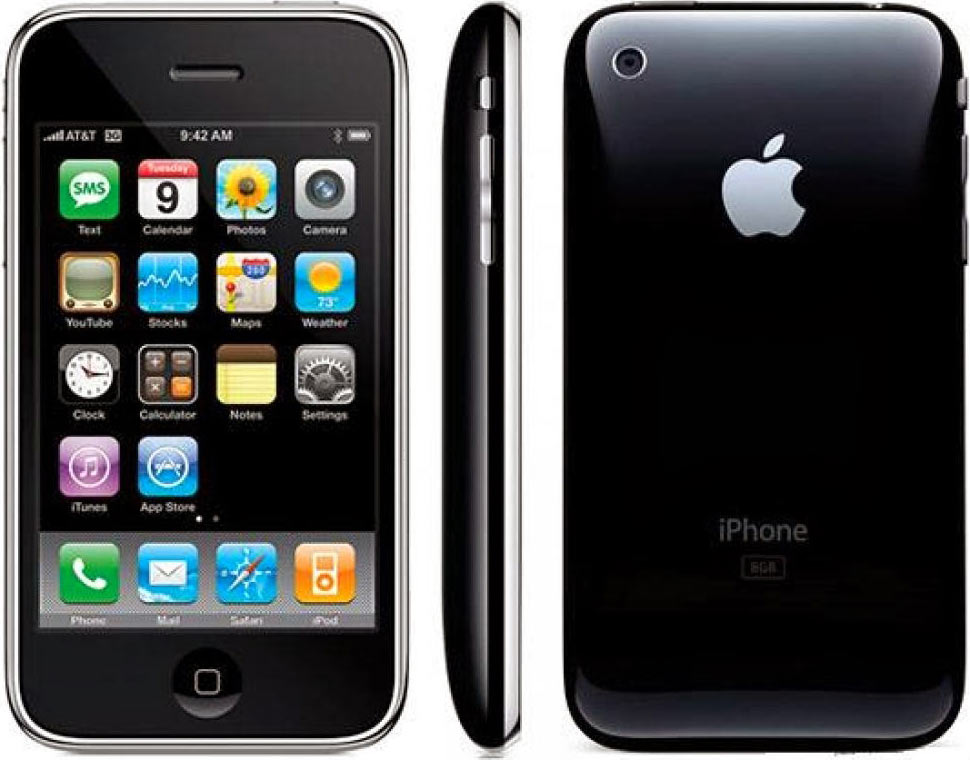
iPhones 3G and 3Gs were worse:
They looked fine in pictures, but were plastic, felt cheap and often cracked.
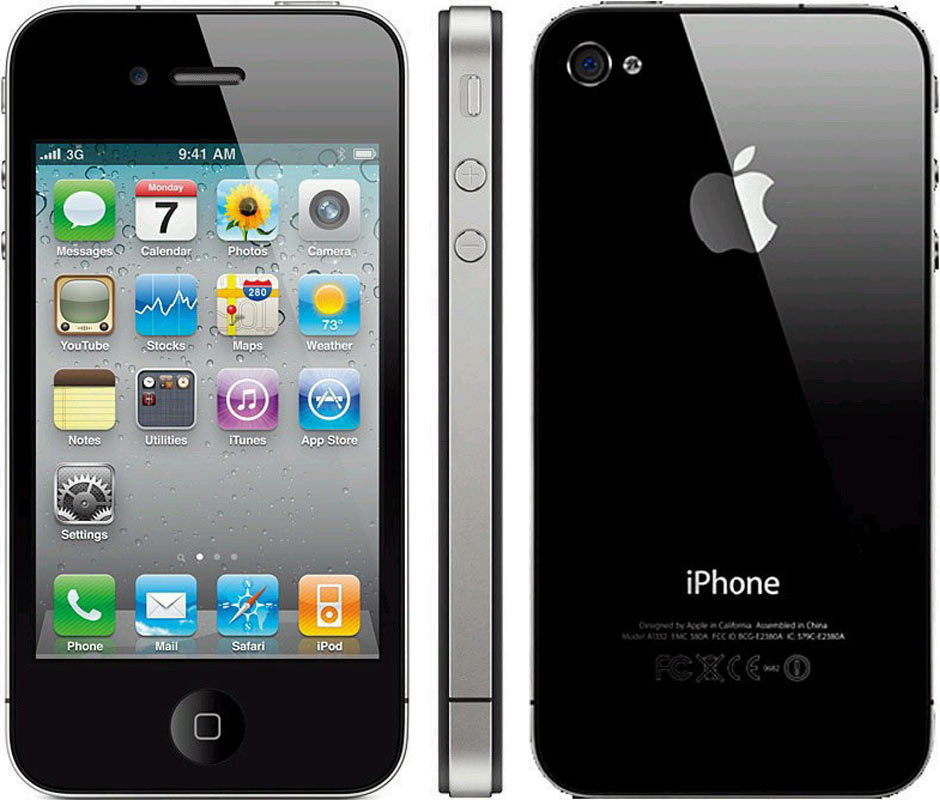
Then there were the iPhones 4 and 4s:
These were special. They didn’t look nice in pictures, but were very attractive in person. The antenna lines bugged me a lot, but overall these were good ones. The glass back was really cool (I don’t break my phones).
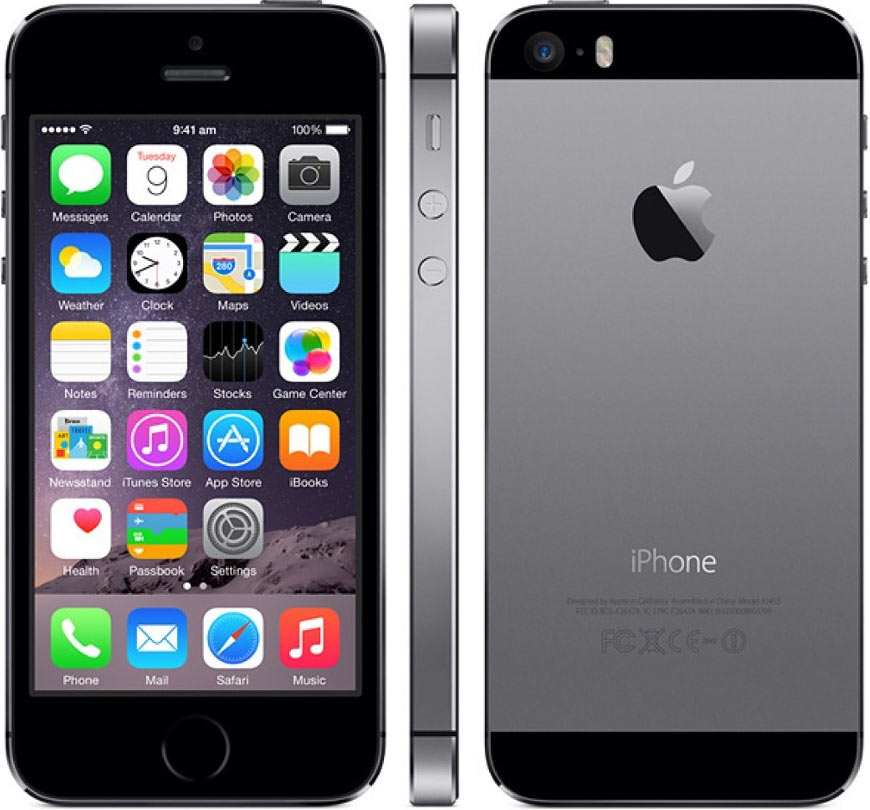
Since then, things went downhill. The iPhones 5 and 5s were ugly:
The black stripes, unlike on the original iPhone, were completely out of place. The camera was misaligned.
The camera was not aligned with anything and sticked out. The rubber stripes were all over the back. How was this even possible? Imagine somebody showing it to you in 2008, after you’ve seen the first iPhones. You wouldn’t believe Apple would have shipped such a device.
Definitely, these were the ugliest iPhones ever built.
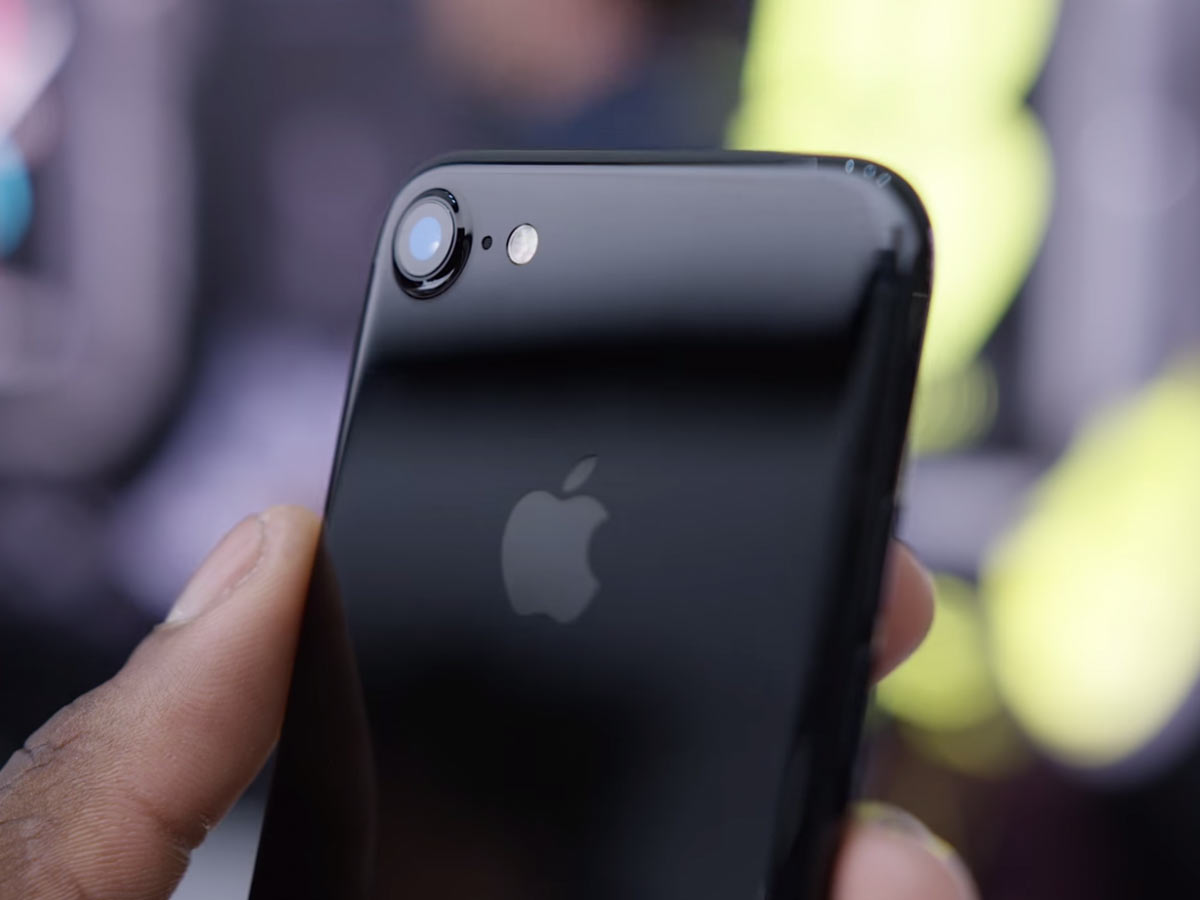
And then Apple showed the iPhone 7:
Image from wylsa.com
How can you even compare it to the 6? This one is finally beautiful, after several years of ugliness. The camera is aligned with the phone’s corner, for the first time after the iPhone 4! It still sticks out, but this time the phone is designed with this in mind. It’s not slapped on top of an unexpecting phone; it’s there because it was meant to be there. The same for the antenna lines: they are part of the design, not some crap put on top because it had to be.
This is the first iPhone in years that you can enjoy just looking at. And unlike the iPhone 4, it looks great from every angle. It’s the opposite of the iPhones 6.
It sometimes forgets its address while the page is open and shows the default search prompt.
In Top Sites, the address bar would sometimes display topsites:// instead of the search prompt.
When you press Back, you sometimes end up on an empty page with parenttab:// (or something like this) in the address bar.
If you enter an address and press Enter, sometimes that would just unfocus the address bar, but not initiate a request. You need to re-focus the address bar and press Enter again (if you are lucky and Safari still remembers the address).
If you enter an address and press Enter, then switch tab, the page you’ve requested would sometimes open in the tab you’ve switched to instead of the one you’ve typed the address into, replacing the tab’s contents.
If you enter an address and press Enter, then drag the current tab to another window while it’s still loading, it would sometimes stop loading and even forget its address, becoming a new clean tab with an empty search prompt in the address bar.
If you enter an address and switch tabs without pressing Enter (i. e. to look something up), when you return to the original tab you will probably find out that the part of the address you have entered has been forgotten and replaced with the search prompt.
The progress bar will sometimes get stuck at some point after the page has been fully loaded (rare).
The progress bar will sometimes not get displayed at all during the loading of the page (rare).
When you press Esc while a website is loading, the address bar would sometimes clean itself.
Top Sites would sometimes be displayed instead of a page, while the URL in the addressbar is an URL of a page.
The new map looks clean and fresh, the station captions are more prominent, the city center is highlighted and the landmarks are more vivid. Click the image above for more detail and PDF download.
FTP or SFTP access to the server or another way to access the server’s file system,
Access to a MySQL database.
If you don’t have all this or don’t know what this means, you will not be able to install Aegea on your own. Seek assistance.
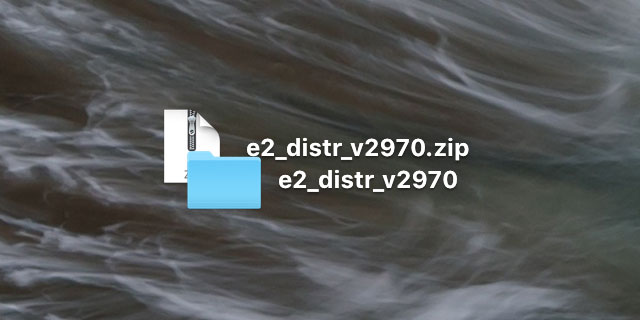
Get Aegea package Download the Aegea zip archive from the website and unzip it:
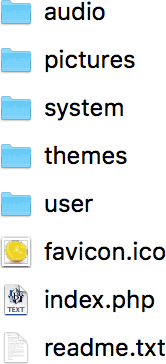
Inside, you will see files like these (the list may differ depending on the version):
Put files on server
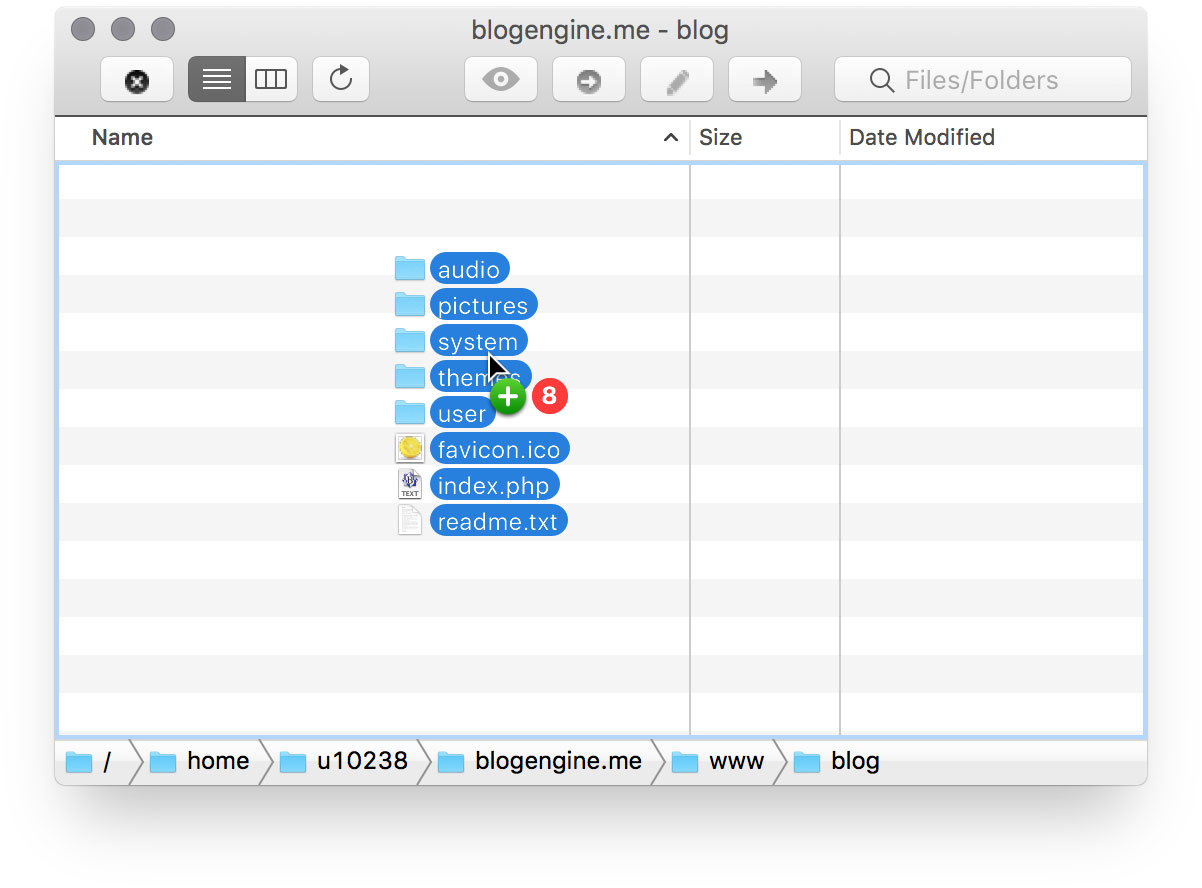
Upload all these files to the server (I’m using the FTP client Flow here):
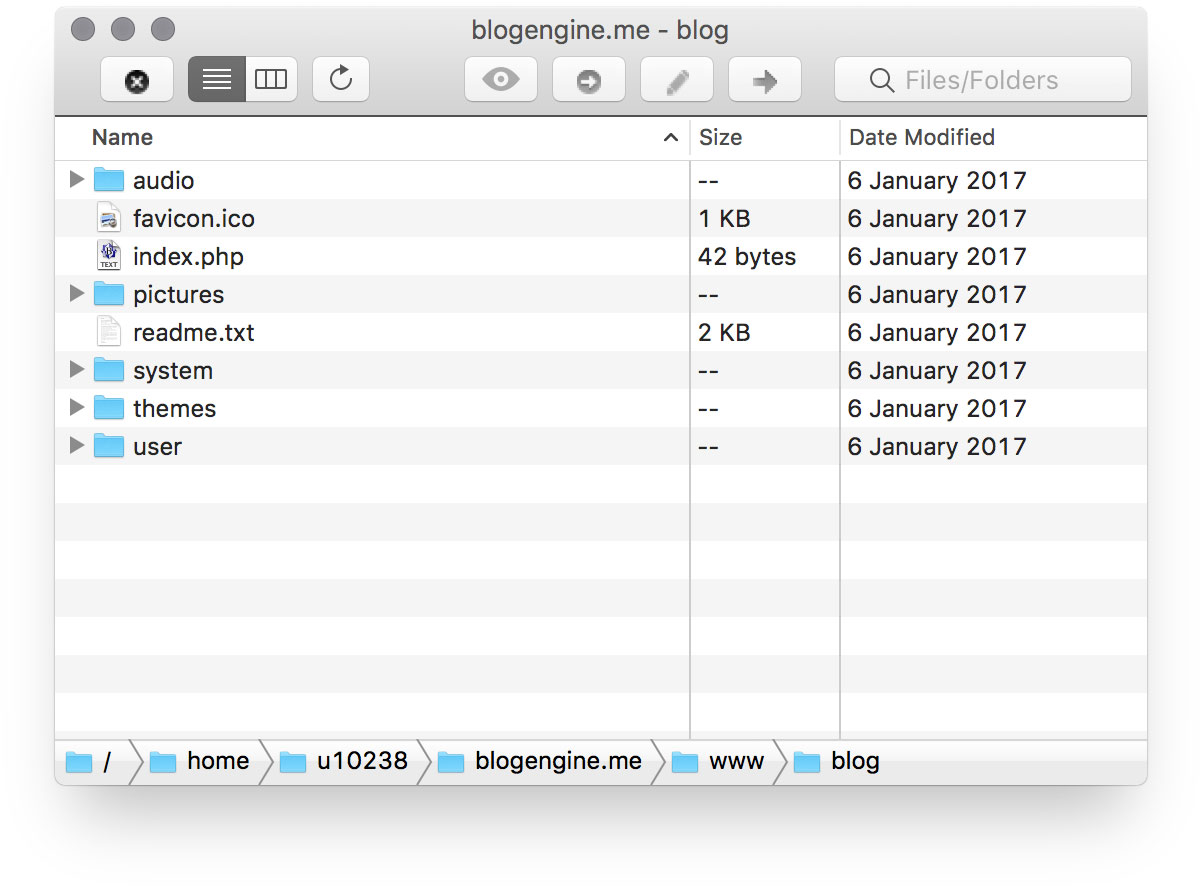
As you can see, I’ve created a “blog” folder on the server and put the files in that folder:
Open Installer with browser
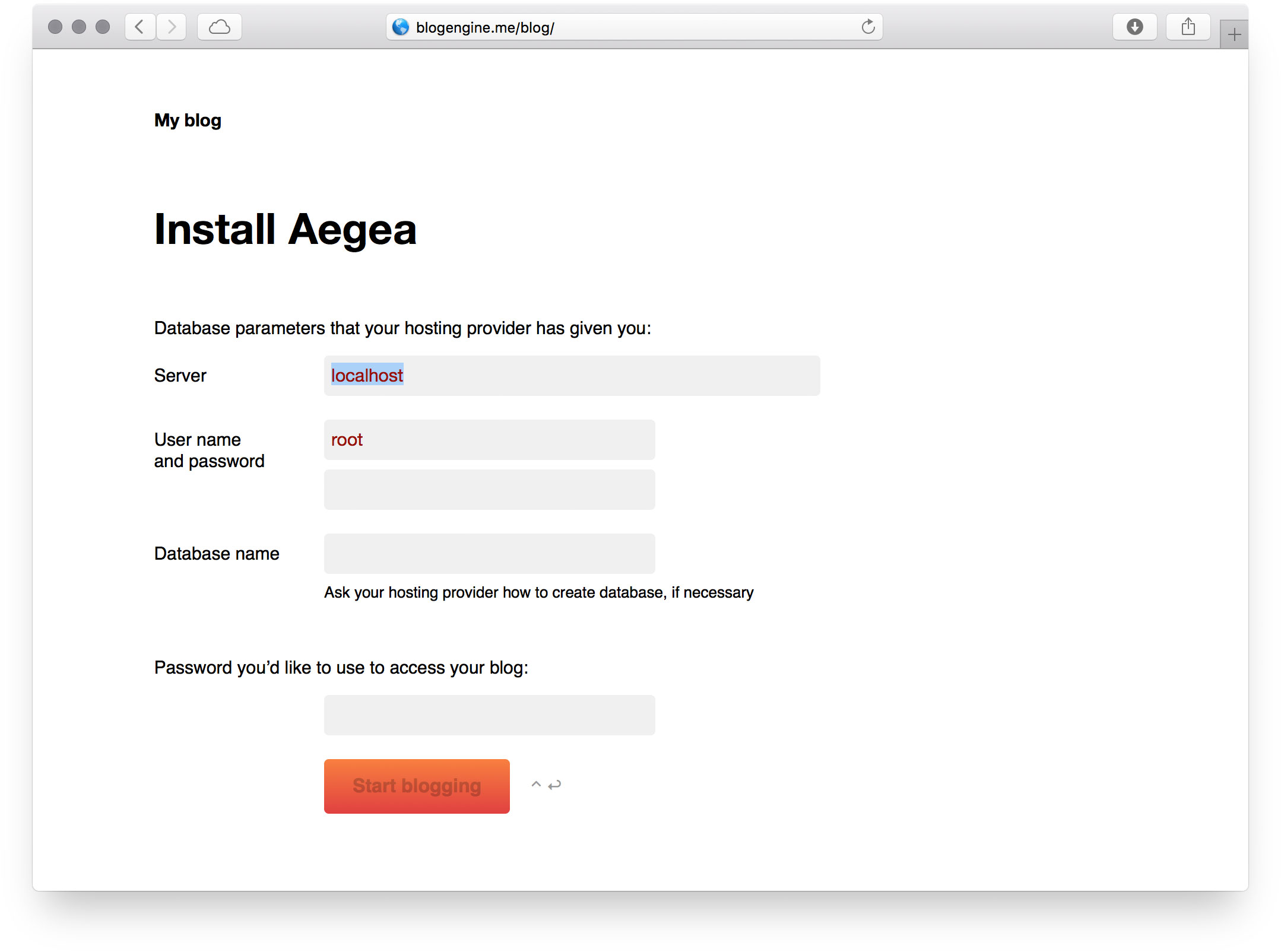
Navigate to the server with your browser. As I’ve created the folder “blog” for Aegea, I go to blogengine.me/blog/:
Enter your MySQL database access parameters: the server, the username, the password and the database name. The last thing to fill in is the password that you want to use to access your blog (you can change it later):
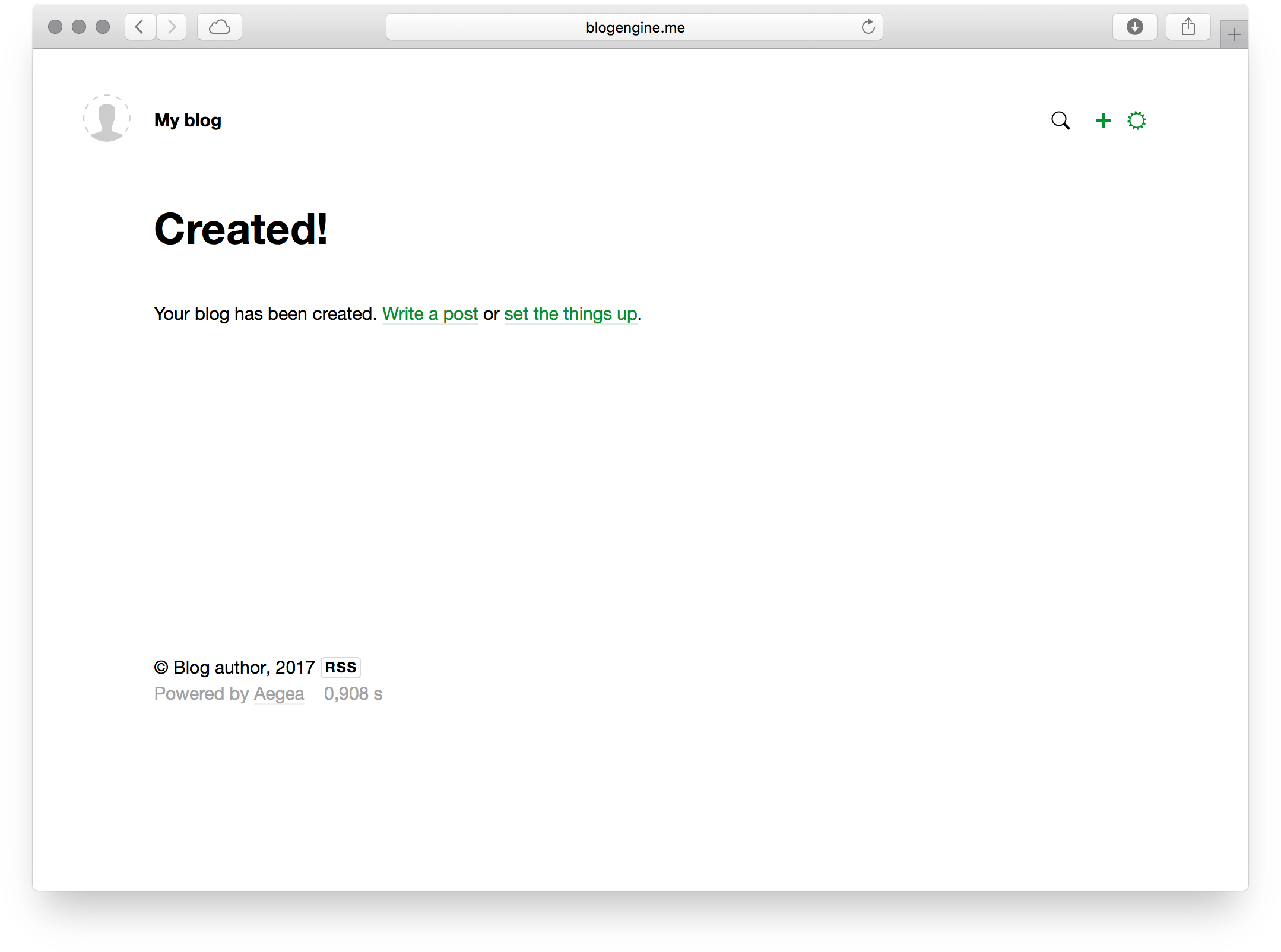
Click “Start blogging” and go:
Permission problems
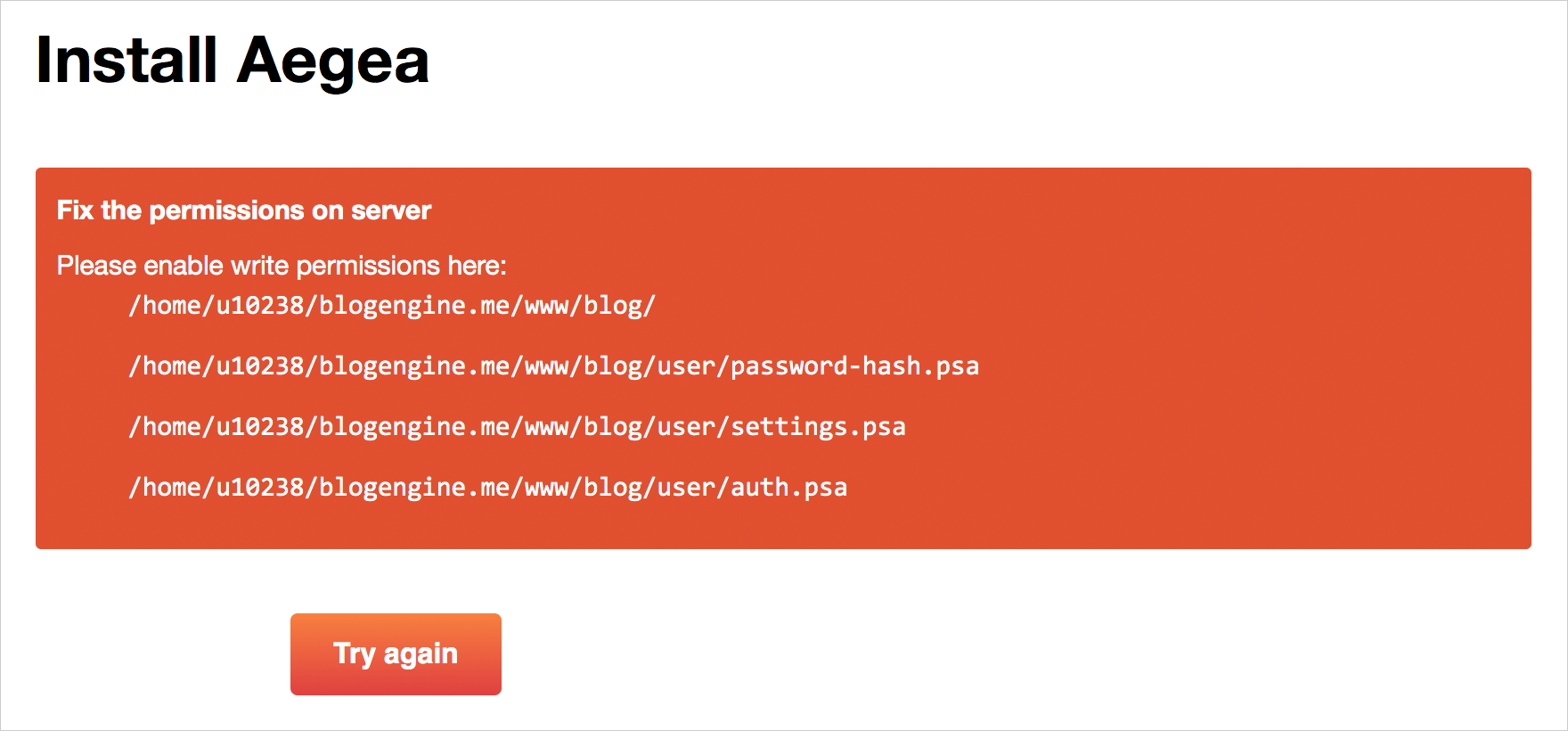
You may find that instead of the Installer Aegea shows you something like this:
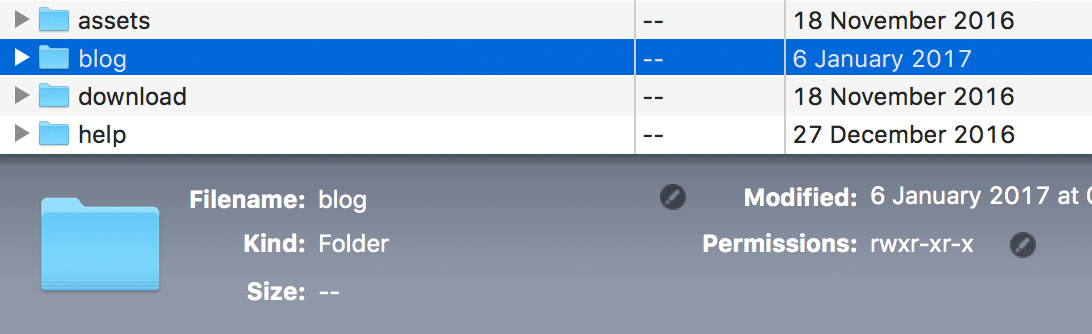
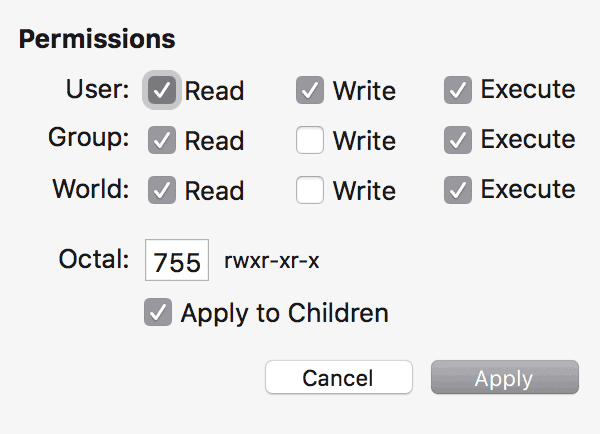
In this case, you need to change the permissions of Aegea’s folder and everything inside it to let the engine do anything it wants. Select the folder “blog” (in my case) and press ⌘I (in Flow’s case) to open its details:
Click the pencil icon next to Permissions (or open the permissions in some other way). Set permissions like this:
Then go back to the browser and press “Try again”. Installer should work now.
A gondolier explains the French women that they will be fine:
3
But first things first.
Venice is located on an island connected by a bridge. The bridge leads to a small parking lot at Pizzale Roma. From there, you get around Venice by foot. If you travel by car, there’s no point staying in Venice itself: carrying bags from the car to the hotel is no fun.
On the land there is a town called Mestre which is officially a district of Venice.
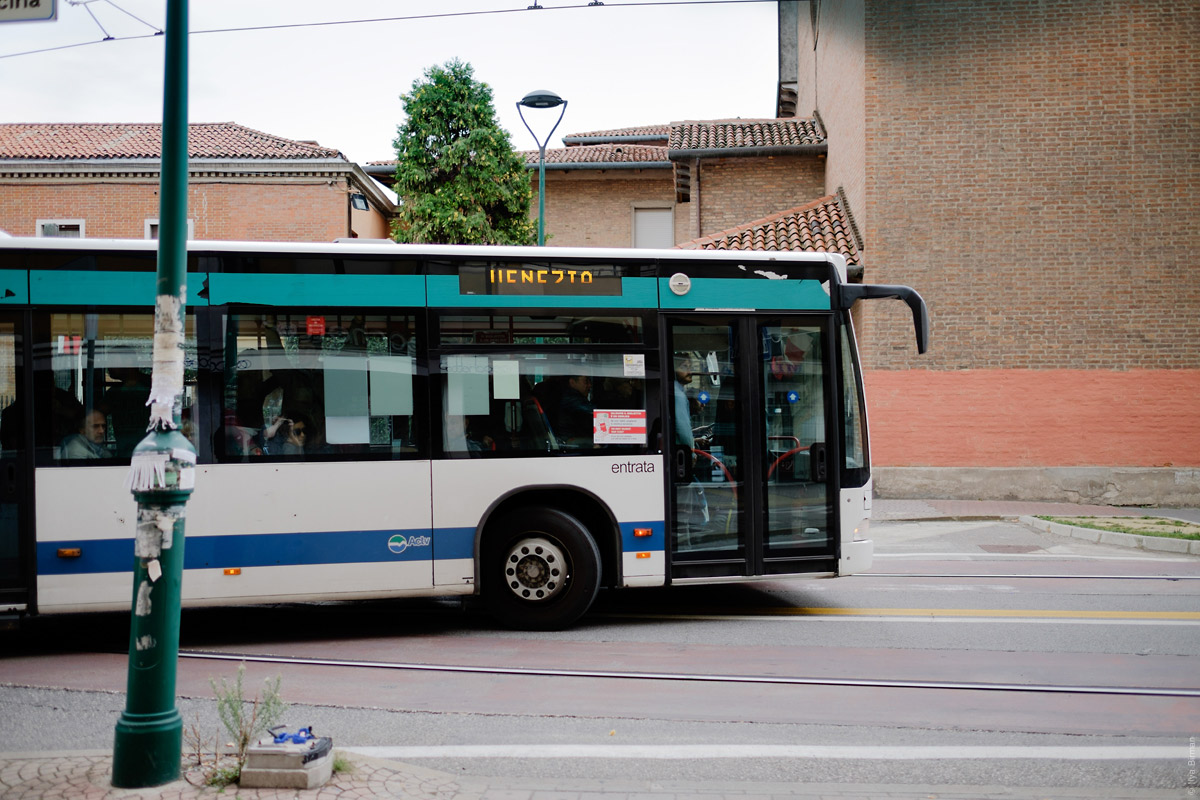
It takes a 15-minute bus ride to get to Venice:
4
Cool: venetian buses have no numbers. They just have a large display with the destination:
5
A tram stop:
6
A tram arrives in Venice:
7
The trams use one rail and have rubber wheels on the sides.
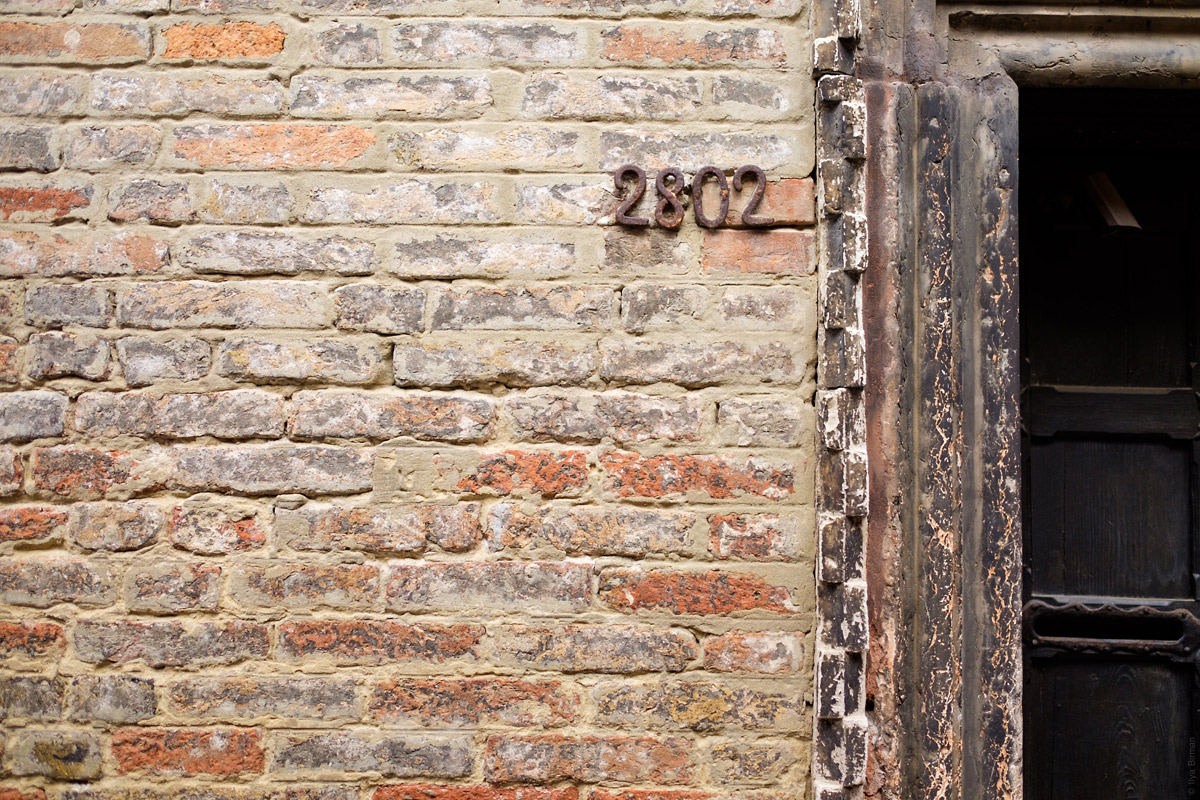
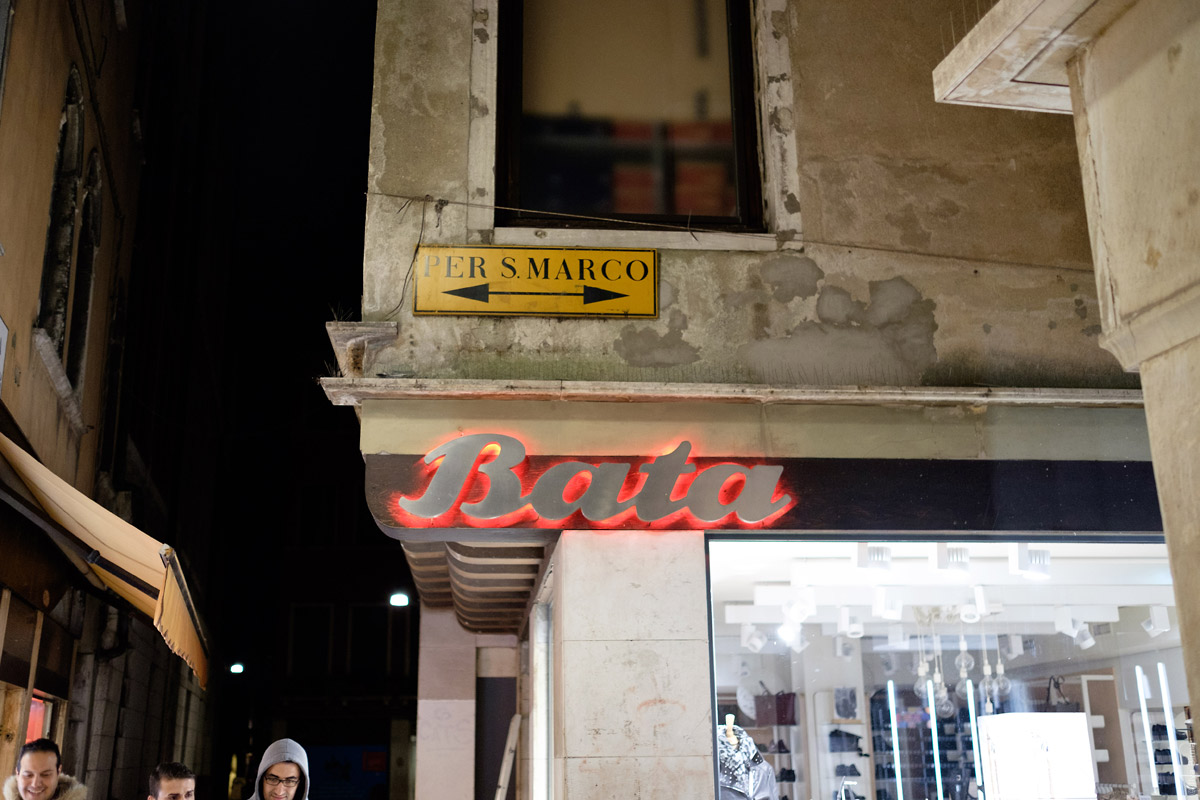
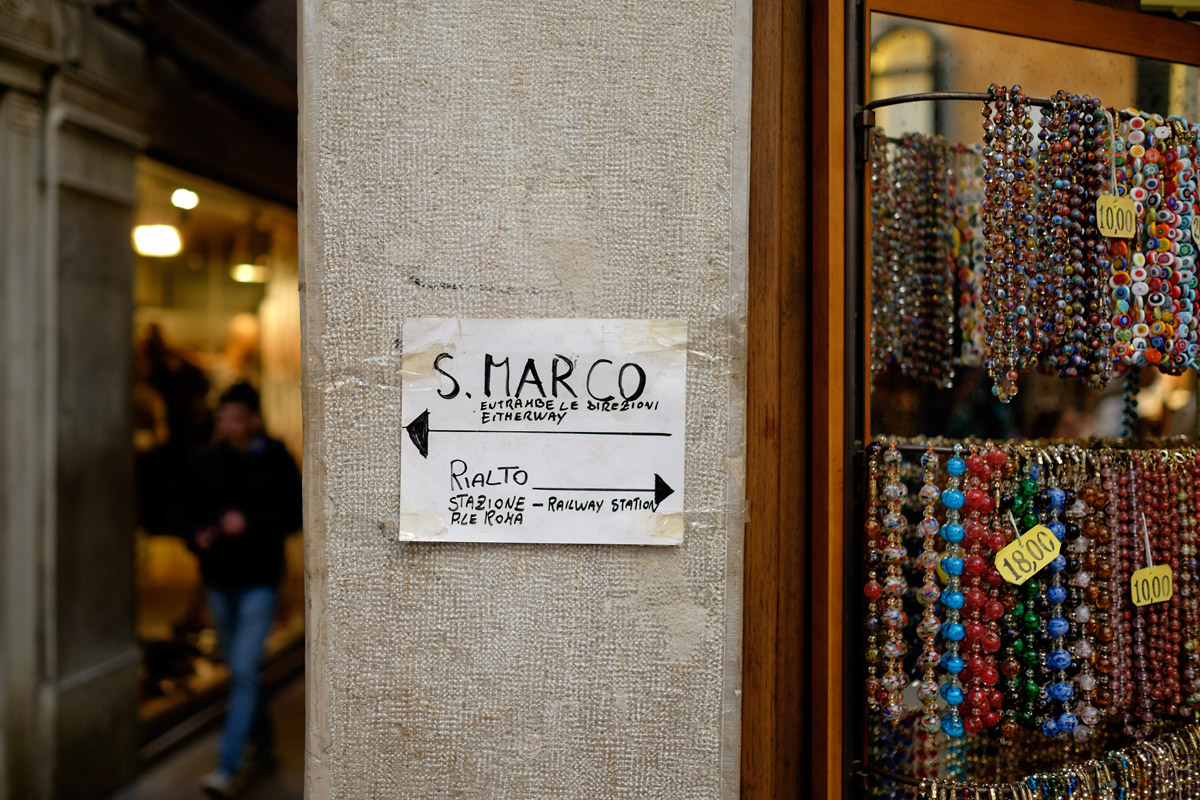
The new tourists look for two places: Rialto bridge and San Marco square. Italian signage points in two directions at once:
8
Puzzled tourists ask for advice in numerous shops. Tired shopkeers put more signage:
9
10
The author of this one instists that both directions are valid, and explains for the stupid:
11
One arrow per direction here, but the text still tries to confuse you:
12
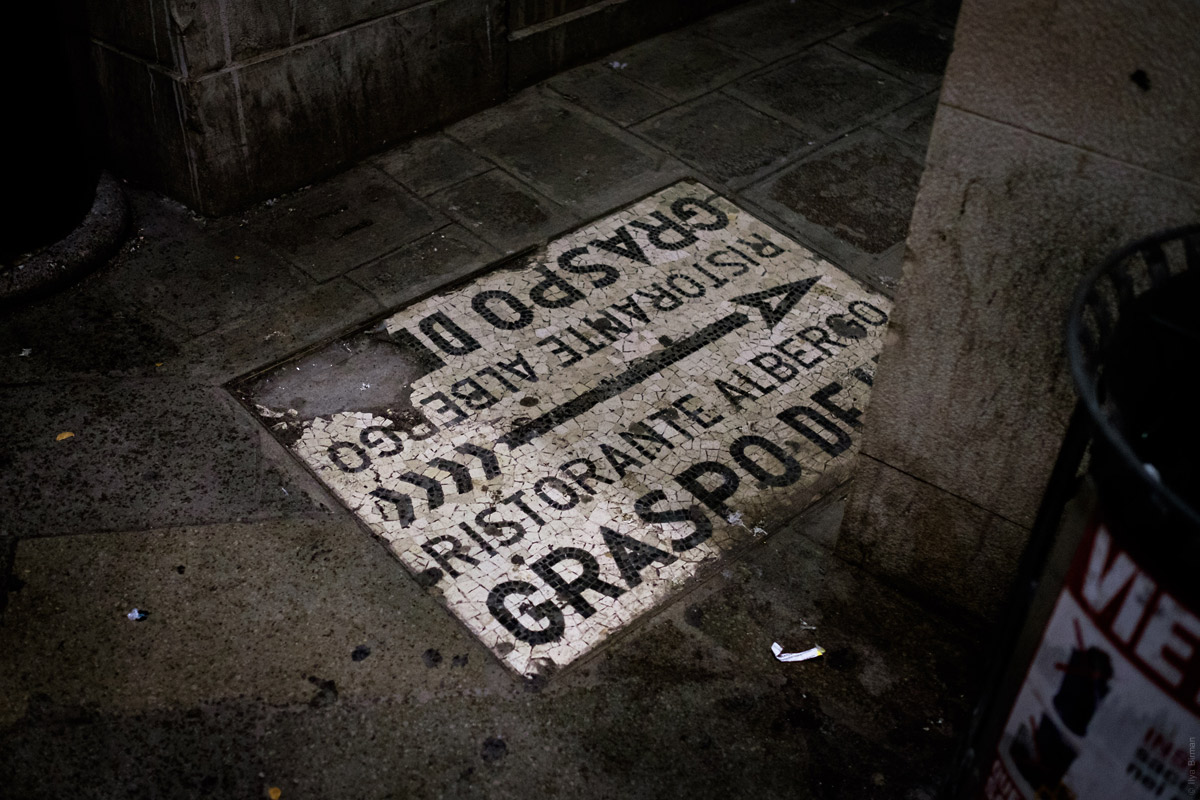
More signage:
13
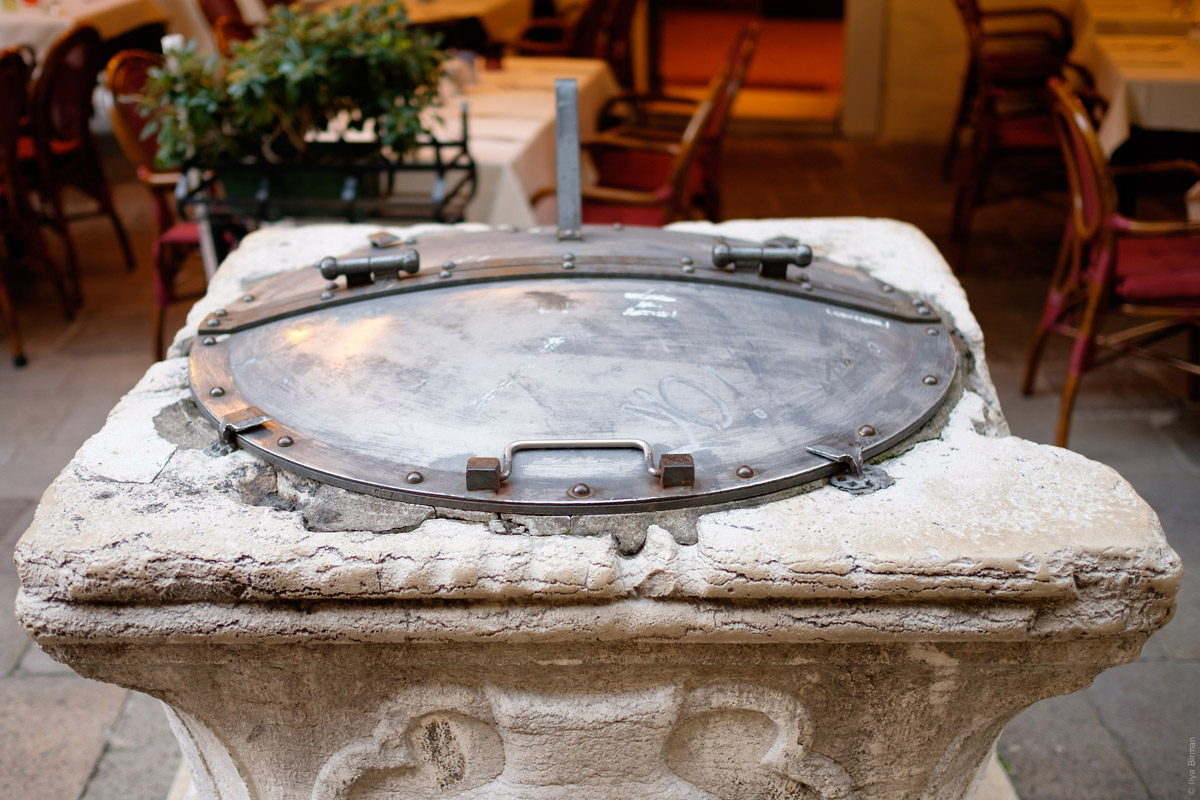
A well:
14
A warning:
15
Spaghetti and lasagna:
16
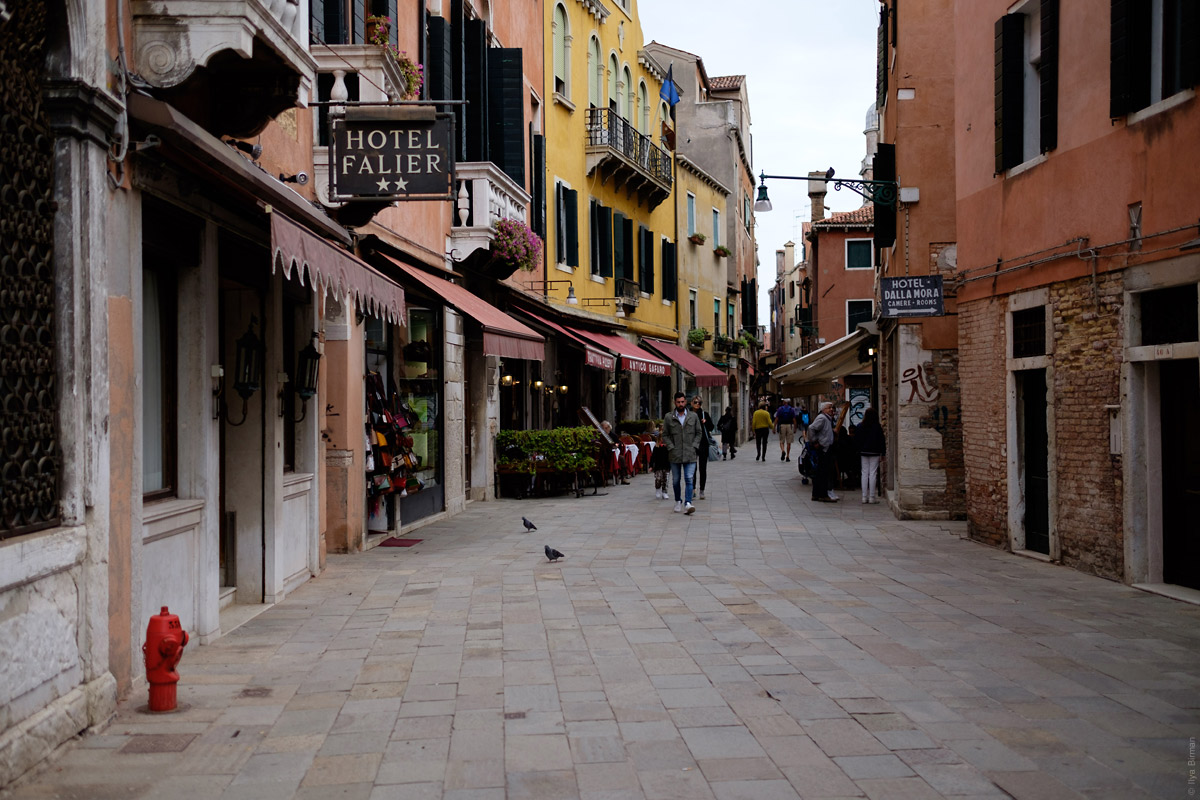
Other photos:
17
18
19
20
21
22
23
The note was moved from the “World” section on September 10th, 2026
An engine is a program that runs on the blogger’s website. It provides the writing tools to the author, shows the posts to the readers and lets them write comments. Medium.com (or similar) is simpler, but they can shut down and take all your posts offline. With an engine, the blog runs on your own website and you have access to the files and the database (you don’t have to deal with the files or the database, but you own all the data).
I want most people to have access to personal blogging in this way. That’s why it uses the most easily available platform: PHP with MySQL.
Aegea powers this and many other blogs. Among my favourites:
With Aegea, you can use the built-in neutral theme or customise it however you like (this blog is an example). Be flexible with comments: allow and disallow them globally or per post. Refine posts using Drafts. Add images, videos, audio or code to illustrate your point. Organise your writing with tags.
Designers, writers, musicians and software developers use Aegea to show their work, communicate and spread knowledge. They love it because it’s simple and fast yet does everything they need. Aegea is free for personal use and paid for business use.
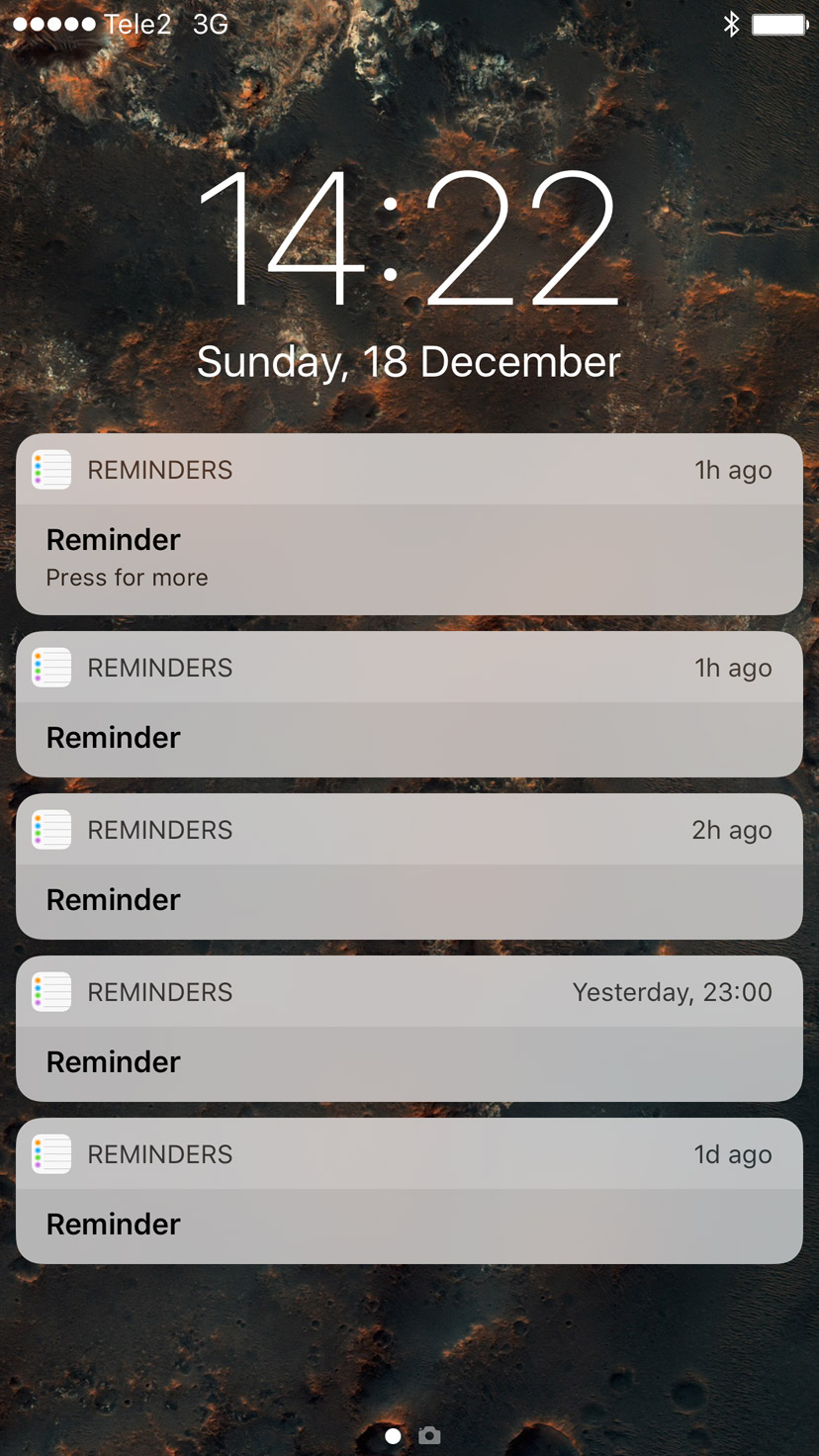
Reminders is one of buggiest apps Apple has ever made. Sometimes it forgets to remind, sometimes it reminds twice. It cannot sync anything between Macs, iOS devices and the watch. And now, it decided to remind me of five things:
In 2013, I released Emerge, a page load coordinator:
Normally, when a complex web page is loading, elements appear in random order, causing unpleasant flashing. To replace it with nice and coordinated animations, programming is required. Emerge.js simplifies the task by removing the need to write any JavaScript code. The framework uses a declarative approach, where you specify the desired behaviour for each element and do not think about the implementation.
Version 1.3 adds support for video tags and an easy-to-use replay control useful for debugging.
Update for free
If you’ve bought Emerge, you get the updates for free. Just re-download using the same link you got when you bought the script. Or drop me a line if you have any questions.